GRIB2 要素场的层次信息与使用的产品模板 (productDefinitionTemplateNumber) 有关。
CEMC 模式 GRIB2 产品大部分要素均使用产品模板 4.0 (瞬时要素) 和 4.8 (统计要素)。 两种模板都支持设置两个层次,每个层次可以设置层次类型和层次值。相关 GRIB KEY 如下
| GRIB KEY | 描述 |
|---|---|
| typeOfFirstFixedSurface | 层次类型 |
| scaleFactorOfFirstFixedSurface | 层次值 |
| scaledValueOfFirstFixedSurface | 层次值 |
| typeOfSecondFixedSurface | 层次类型 |
| scaleFactorOfSecondFixedSurface | 层次值 |
| scaledValueOfSecondFixedSurface | 层次值 |
计算层次值的公式如下:
对于第一个层次来说,f 是 scaleFactorOfFirstFixedSurface,v 是 scaledValueOfFirstFixedSurface。
ecCodes 额外提供 typeOfLevel 和 level 两个 GRIB Key 表示层次类型和层次值,支持大部分要素场,但不支持某些使用两个层次的要素场。
下面介绍 reki 支持的几种检索层次的方法。
import numpy as np
import pandas as pd
import xarray as xr

from reki.data_finder import find_local_file
from reki.format.grib.eccodes import load_field_from_file
/home/wangdp/project/cedarkit/notebook-project/notebook-devel/repo/cedarkit-notebook-project/cedarkit-notebook/.venv/lib/python3.14/site-packages/gribapi/__init__.py:23: UserWarning: ecCodes 2.42.0 or higher is recommended. You are running version 2.34.1
warnings.warn(
# 数据环境配置:使用本地数据目录(可用环境变量 CEDARKIT_NOTEBOOK_DATA_ROOT 覆盖)
from cedarkit_notebook.data import get_data_root, get_dataset_query

DATA_CLASS = "cmadaas"
STORAGE_BASE = str(get_data_root())
# 起报时次与预报时效固定为本地已下载数据(见 data/metadata/cma-gfs.yaml)
query = get_dataset_query("cma-gfs")
start_time = pd.to_datetime(query["start_time"], format="%Y%m%d%H")
forecast_time = pd.to_timedelta(query["forecast_time"])

gfs_grib2_orig_file_path = find_local_file(
    "cma_gfs_gmf/grib2/orig",
    start_time=start_time,
    forecast_time=forecast_time,
    data_class=DATA_CLASS,
    storage_base=STORAGE_BASE
)
gfs_grib2_orig_file_pathPosixPath('/home/wangdp/project/cedarkit/notebook-project/notebook-devel/repo/cedarkit-notebook-project/cedarkit-notebook/data/DATA/NAFP/NMC/GRAPES-GFS-GLB/2026/20260725/Z_NAFP_C_BABJ_20260725000000_P_NWPC-GRAPES-GFS-GLB-02400.grib2')注:MODELVAR GRIB2 数据仅在 CMA-HPC2023 超算平台上可用。
gfs_grib2_modelvar_file_path = find_local_file(
    "cma_gfs_gmf/grib2/modelvar",
    start_time=start_time,
    forecast_time=forecast_time,
)
gfs_grib2_modelvar_file_pathfrom IPython.utils.capture import capture_output
with capture_output() as captured:
!grib_ls -p typeOfLevel "{gfs_grib2_orig_file_path}" | tail -n +3 | head -n -3 | sort | uniq -c
print(f"{captured.stdout}") 4 atmosphere
8 depthBelowLandLayer
4 entireAtmosphere
29 heightAboveGround
3 heightAboveGroundLayer
12 isobaricInPa
748 isobaricInhPa
2 meanSea
6 nominalTop
45 surface
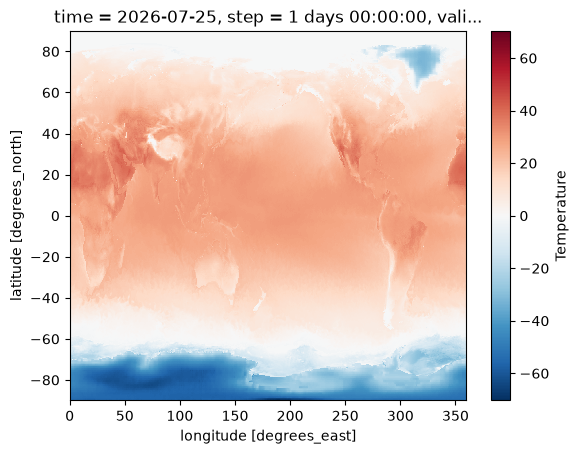
使用 typeOfLevel 和对应的 level 值可以加载要素场:
field = load_field_from_file(
    gfs_grib2_orig_file_path,
    parameter="u",
    level_type="heightAboveGround",
    level=100,
)
fieldfield = load_field_from_file(
gfs_grib2_orig_file_path,
parameter="t",
level_type="isobaricInhPa",
level=850,
) - 273.15
field.plot()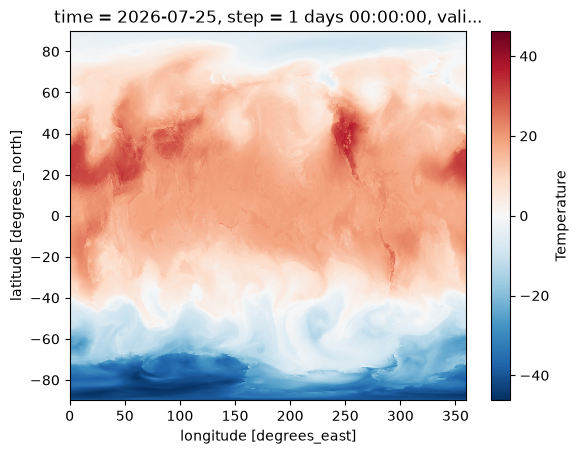
使用GRIB Key
level_type 和 level 均支持使用字典类型的 GRIB Key 进行查询。
ecCodes 不识别 CEMC 模式面要素场的层次类型,可以直接使用 typeOfFirstFixedSurface:int=131 进行查询。
field = load_field_from_file(
    gfs_grib2_modelvar_file_path,
    parameter="t",
    level_type={
        "typeOfFirstFixedSurface:int": 131,
    },
    level=20,
)
field.attrs["GRIB_count"]field = load_field_from_file(
gfs_grib2_modelvar_file_path,
parameter="t",
level_type={
"typeOfFirstFixedSurface": "131",
},
level=20,
)
field.attrs["GRIB_count"]modelvar 文件中所有要素场都是同一个层次类型,可以省略 level_type 参数。
field = load_field_from_file(
    gfs_grib2_modelvar_file_path,
    parameter="t",
    level=20,
)
field.attrs["GRIB_count"]使用reki内置的层次类型
reki 内置几种层次类型,用于简化查询条件。
| reki层次类型 | 描述 | 等价ecCodes类型 |
|---|---|---|
| pl | 等压面层,单位 hPa | typeOfFirstFixedSurface:int=100 |
| sfc | 地面层 | typeOfLevel=surface |
| ml | 模式面层 | typeOfFirstFixedSurface:int=131 |
pl
pl 用于查询等压面层,单位 hPa,支持浮点数。
field = load_field_from_file(
    gfs_grib2_orig_file_path,
    parameter="t",
    level_type="pl",
    level=850,
) - 273.15
field.plot()
field = load_field_from_file(
gfs_grib2_orig_file_path,
parameter="t",
level_type="pl",
level=1.5,
) - 273.15
field.plot()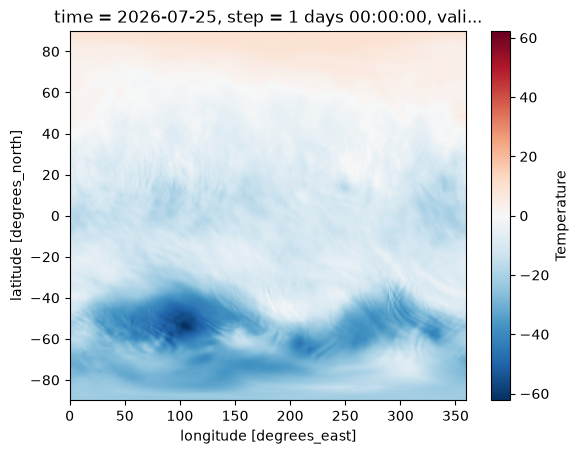
field = load_field_from_file(
    gfs_grib2_orig_file_path,
    parameter="t",
    level_type="pl",
    level=0.5,
) - 273.15
field.plot()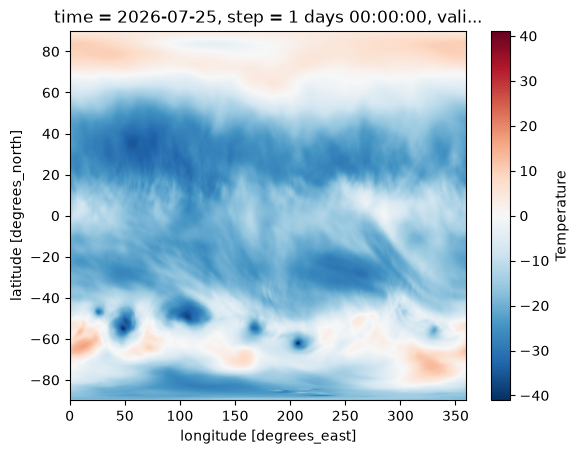
sfc
sfc 用于查询地面层要素场,仅支持 typeOfLevel=“surface” 的要素场。
field = load_field_from_file(
    gfs_grib2_orig_file_path,
    parameter="t",
    level_type="sfc",
) - 273.15
field.plot()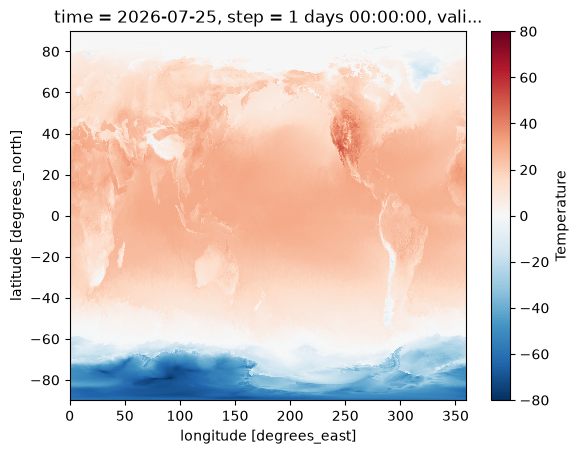
ml
ml 用于检索模式面数据,正如之前提到的,模式面数据文件中只有一种层次类型,因此可以省略 level_type 参数。
field = load_field_from_file(
    gfs_grib2_modelvar_file_path,
    parameter="t",
    level_type="ml",
    level=1,
) - 273.15
field.plot()使用reki内置的层次
reki 内置两个层次值键值 first_level 和 second_level,可以用于定位有两个层次定义的要素场。
field = load_field_from_file(
    gfs_grib2_orig_file_path,
    parameter="t",
    level_type="depthBelowLandLayer",
    level={
        "first_level": 0.1,
        "second_level": 0.4,
    },
) - 273.15
field.plot()